how i do doors
ways to let information leak through scene transitions.
i've seen people (mostly in the Love2d and Godot discords) having trouble changing to a diferent room in a game while letting some objects communicate with each other. you have a "screen" that represents an unit of a physical space, how do you go somewhere else while optionally allowing some info to ah, "bleed through" the seams? so here's how i do it.
Godot has a notion of a "current scene," which you can change with get_tree().change_scene_to_file(). this just creates a new instance of the given resource and deletes the old one. all objects in the old scene are freed on-switch, so it makes sense to have game-wide objects that're always accessible. Godot calls these Singletons.
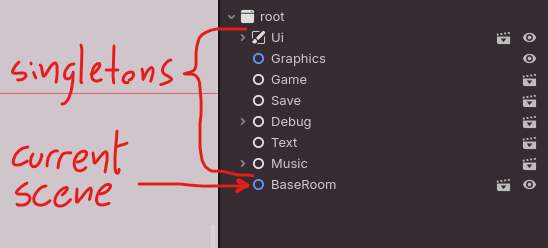
save data is game-wide and always accessible, and you could just stick any and all pertinent information in a global Save singleton, but changing rooms is a little more delicate than that. for example, one of the pieces of information you might want to "leak" between rooms is which specific point of the map the player should be placed at. a door object must tell the next room where it wants the player to go. this is "persistent information" in that it sticks aroud between rooms, but only from one room to the next, and you might not have a good reason to save that data to disk; not because of optimization or to save space or whatever, but to keep our concerns cleanly separated. if it doesn't have to go on the save file, it's worth considering other approaches.
and the approach i've found uses a single function inside the Game singleton that receives the current destination and keeps hold of it just long enough to initialize the next room, and then forgets it.
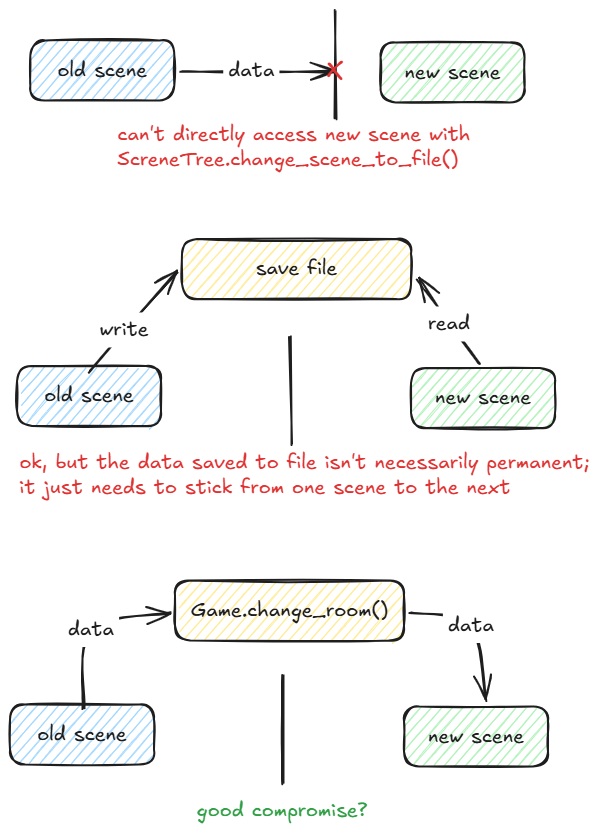
in pseudocode it'd be something like
func change_room(
	destination_scene_path: String,
	destination_door_id: Door.DoorID
) -> void:
	get_tree().change_scene_to_file(destination_scene_path)
	find_door_with_id(destination_door_id).position_player(Game.player)
consider that this limitation only exists if both scenes aren't active at the same time. you could write your own logic to keep the old scene alive for, like, 1 frame to let the new scene communicate with the old...? but i haven't found a good reason to do it yet.
a small note on saving: automating it early is extremely helpful. especially in a game where everything's interactible, most things have some sorta internal switch to flip, and you want to know virtually everything the player does (to add flavor text about it of course)... keeping track of an unique flag name every time is too much overhead.
ideally it'd be nice to have all flags be auto-generated with an opt-out mechanism.
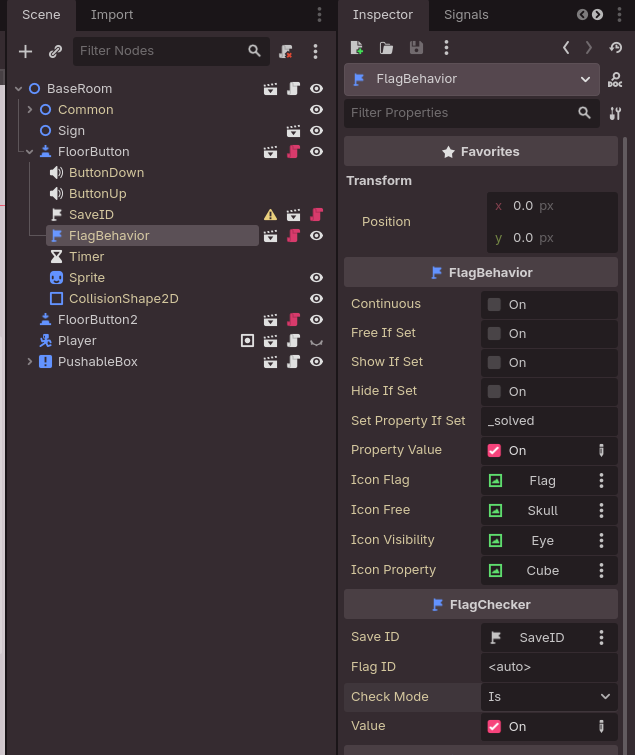
in my codebase, i have a SaveID node that has the ability to generate a random-ish string, something like ForestEntrance:DoorA:gqUjN_0w, and automatically use it as a key in a global Save.flags dict. different
nodes can then listen to Save.flags and react accordingly - something like a FlagBehavior node can take
in a SaveID as a parameter, check the associated flag, and perform generic actions based on its state.
this is one of the things i like the most about programming. whenever i have an issue, i know i can abstract it away so the hard stuff happens behind the scenes of a simple interface. then i can forget about it.
